- Computer Gripes
- Error code lookup
- 0x80004005
Error 0x80004005: Unspecified Error in Windows (Fix)
Error 0x80004005 is the Windows "unspecified error." See what it means in Windows Update, shared folders, ZIP files, VirtualBox and Outlook, and how to fix it.
Windows error 0x80004005 means “something failed, and Windows won’t say what.” Microsoft’s list of common HRESULT values names it E_FAIL, “Unspecified failure.” The same error can come from Windows Update, a network share, a ZIP file, a virtual machine or Outlook, and the fix depends on which one you were using.
Note what you were doing when this error appeared. That tells you which of the following rows applies.
Where the 0x80004005 error shows up
| Where you see it | What usually sits behind it |
|---|---|
| Windows Update or a feature upgrade | Damaged update files, stuck services or corrupted system files |
| Opening a shared folder or NAS | Network discovery off, blocked guest access, missing permissions |
| Extracting a ZIP file | A password-protected or damaged archive the built-in tool can’t open |
| VirtualBox (“E_FAIL 0x80004005”) | A VM problem; the real reason is in the lines above the error |
| Outlook send/receive (“The operation failed”) | Antivirus email scanning, a bad add-in or a damaged profile |
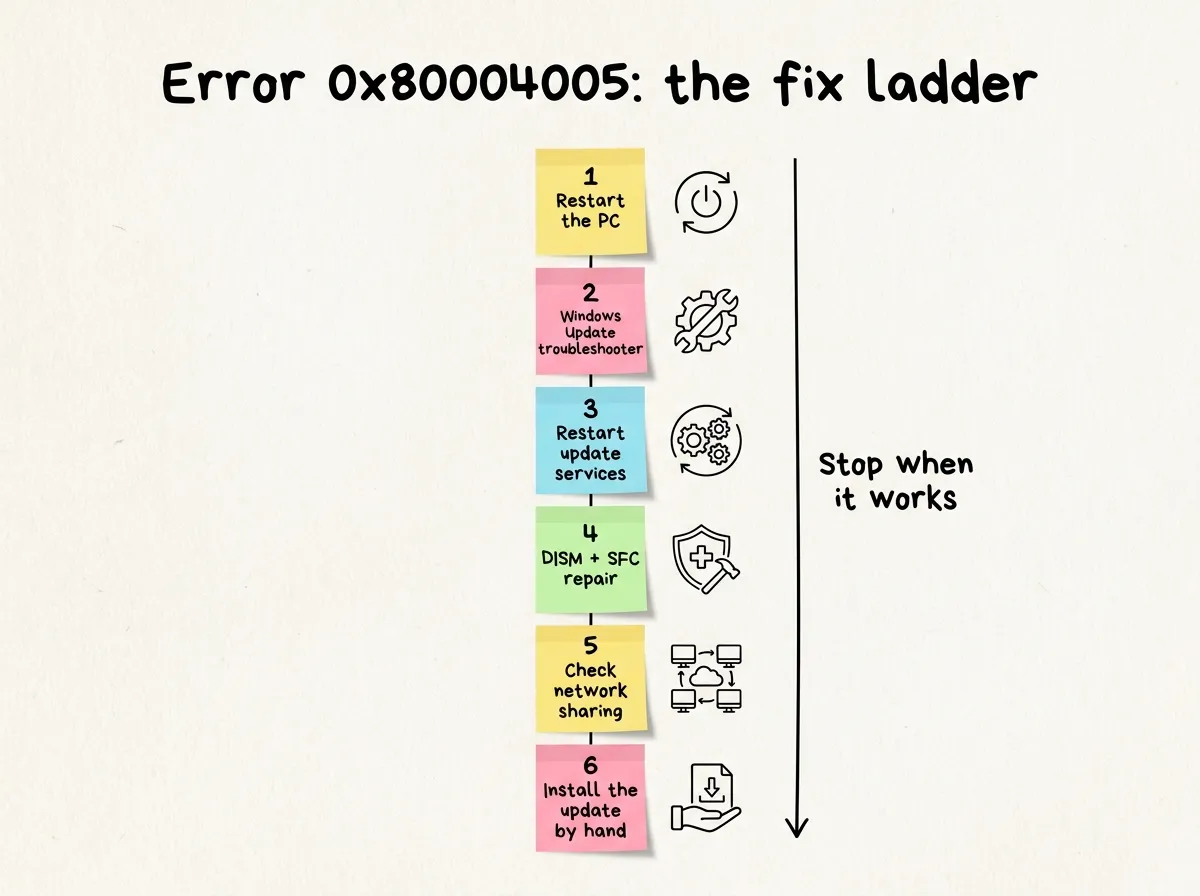
How to fix error 0x80004005, step by step
Start at step 1 and skip the steps that don’t match where you saw the error 0x80004005.
- Restart your computer. A pending update or a locked file may be the whole issue. Use Restart, not Shut down, and then repeat what failed.
- Run the Windows Update troubleshooter. On Windows 11, open Settings, select System > Troubleshoot > Other troubleshooters and click Run next to Windows Update. On Windows 10, select Update & Security > Troubleshoot > Additional troubleshooters. Our guide to fixing Windows Update errors covers the update cache.
- Restart the update services. Open the Command Prompt as administrator, type
net stop wuauserv, press Enter, then typenet start wuauservand press Enter. - Repair your system files. In the Command Prompt, type
DISM /Online /Cleanup-Image /RestoreHealth, press Enter, wait, and then runsfc /scannow. The System File Checker (SFC) replaces damaged Windows files, a common cause of this error during an update installation. - Shared folder: check the network settings. In Control Panel, open Network and Sharing Center > Advanced sharing settings, select Turn on network discovery and turn on file and printer sharing for the private network. If the share relies on guest access, you can use a real user account with a password and set the folder permissions for that account. Connecting with
net use Z: \\server\shareoften shows a clearer message. - ZIP file: try other software. Copy the file to a local folder and open it with a third-party archiver. If that fails, download the file again.
- VirtualBox: read the full message. Click Details or open the VM’s log. Common culprits are a broken saved state (select the VM, then Discard Saved State) and a conflict with Hyper-V.
- Outlook: rule out add-ins and antivirus. Type
outlook.exe /safein the Run box. If mail works there, turn add-ins off one at a time. If not, you can try pausing antivirus email scanning, then a new Outlook profile. For missing mail without an error, see Outlook not receiving emails. - Install the update by hand. If one Windows update keeps failing with error 0x80004005, note its KB number and download that exact package from the Microsoft Update Catalog.
What not to do
- Don’t run “registry cleaner” or “error fixer” software. These tools can’t fix the error 0x80004005, and they can cause new issues.
- Don’t use the Registry Editor to switch on insecure guest logons unless you understand the risk. A user account with a password is safer.
- Don’t turn on the old SMB 1.0 protocol for good just to reach an old NAS. Update the NAS firmware instead.
- Don’t pay anyone who calls or pops up claiming that your computer has “error 0x80004005.” Run it through our scam check first.
FAQ
Is error 0x80004005 a virus?
No. It’s a general Windows failure, not malware. Fake support pop-ups reuse the 0x80004005 error to scare people, but real Windows errors never ask you to call a phone number.
Why does the 0x80004005 error come back after I fixed it?
Because something different failed. A Windows Update error and a later shared folder error can share this number and nothing else.
Does 0x80004005 mean my hard drive is failing?
Not usually. If file copies fail across many folders, back up and check the drive’s health. For more specific Windows errors, browse the error code library.
Did this fix it?
0 readers say this fixed it
Good. One gripe fewer on the wall.
Sorry. Tell us what you tried, or see if others have the same problem.