- Computer Gripes
- Error code lookup
- 0x80070643
Error 0x80070643: Windows Update Install Failure Fix
Error 0x80070643 means a Windows update failed to install. See what it means for Defender, .NET and recovery updates, and how you fix it in the right order.
Error 0x80070643 means an installation failed. Windows calls it ERROR_INSTALL_FAILURE, a generic “fatal error during installation” code passed up from the installer. The error message doesn’t say why the install broke, so your fix depends on which update or software package failed.
Where you see error code 0x80070643
It usually appears in Windows Update next to one package:
- Windows Defender: the security intelligence (definition) update for Microsoft Defender Antivirus fails in Windows Update.
- .NET Framework: a cumulative .NET update stops with the code.
- Windows Recovery Environment (WinRE) on Windows 10: the January 2024 WinRE update (KB5034441) needed 250 MB of free space in the recovery partition. Smaller partitions made it fail; Microsoft later replaced it.
- App installers: desktop software that uses Windows Installer (MSI packages) reports the same code when its setup fails.
After the April 2025 WinRE update, Microsoft confirmed a false alarm: Windows Update could show the 0x80070643 error although the update worked. Its KB5057589 known-issue note says the message “is not accurate” and clears on the next daily scan. The issue is resolved in KB5063523 and later.
Likely causes of the 0x80070643 error
| What failed | Likely cause | Where to start |
|---|---|---|
| Defender definition update | Corrupt or stuck download | Windows Security |
| .NET Framework update | Damaged .NET version on the system | .NET Framework Repair Tool |
| WinRE update (Windows 10) | Recovery partition too small | Microsoft guide KB5028997 |
| Several updates at once | Broken Windows Update components or system files | Troubleshooter, DISM, System File Checker |
| Third-party antivirus running | Blocks the installer | Pause it, try once more |
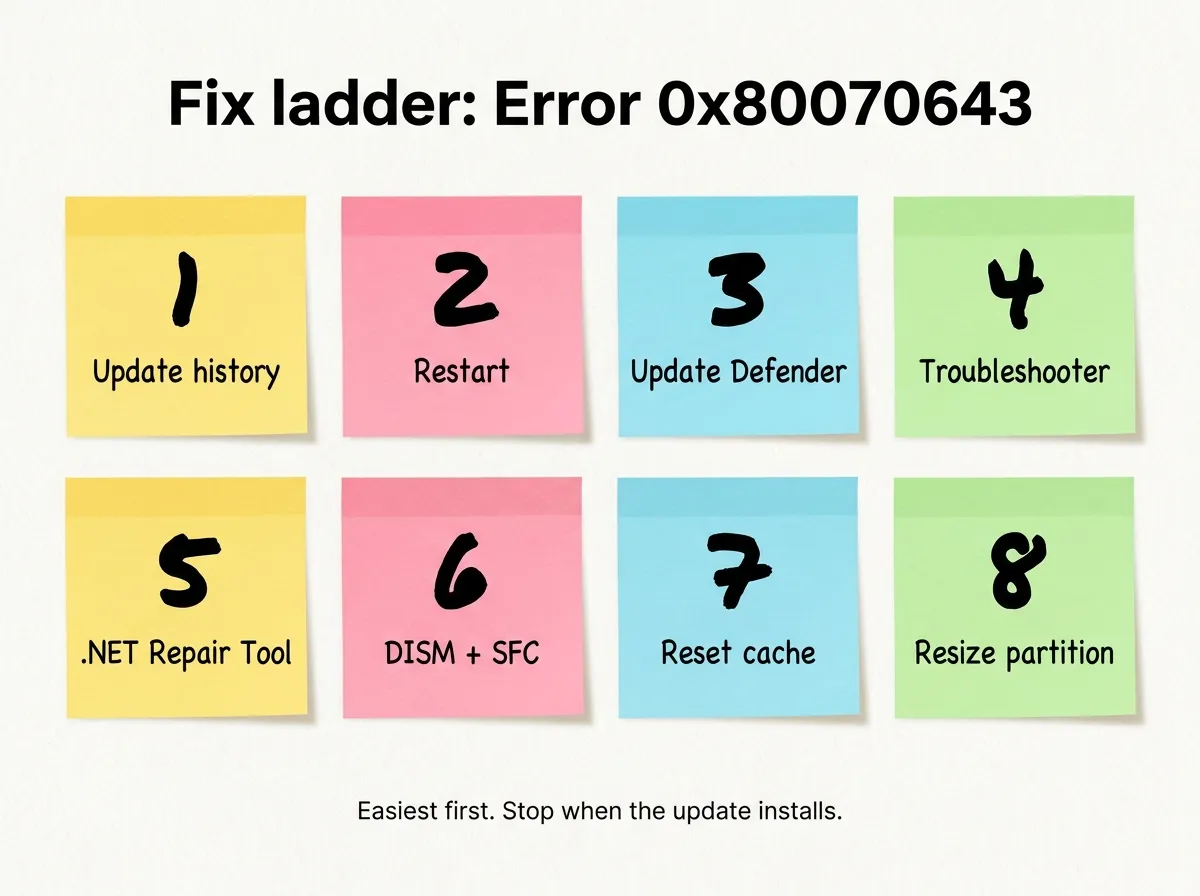
How to fix 0x80070643, easiest first
Work through the following steps in order and stop as soon as the package installs.
- Find the failing update. Open Settings > Windows Update > Update history. Note the KB number of the failed entry; the following steps depend on it.
- Restart, then check again. A pending restart from another update can make this one fail. If the failed item is the 2025 WinRE update, Windows clears the message by itself after the next daily scan.
- Update Windows Defender directly. Open Windows Security > Virus & threat protection, select Protection updates and click Check for updates. This skips Windows Update.
- Run the troubleshooter. On Windows 10, select Settings > Update & Security > Troubleshoot > Additional troubleshooters. On Windows 11 you start it through the Get Help app.
- Repair .NET Framework. If a .NET package failed, try Microsoft’s .NET Framework Repair Tool (KB2698555), then retry installing the update.
- Run DISM and the System File Checker. Open Command Prompt as administrator, type
DISM.exe /Online /Cleanup-image /Restorehealthand press Enter. When it finishes, typesfc /scannow. - Reset the update cache. In the same admin window, stop the services with
net stop wuauservandnet stop bits. Delete the files in theC:\Windows\SoftwareDistributionfolder, start the services again withnet start wuauservandnet start bits, then check for updates. - Resize the recovery partition (WinRE only). Using
reagentc /info, check where WinRE lives. Then follow Microsoft’s guide KB5028997 to give the recovery partition 250 MB more. Back up your PC first, because this deletes and recreates a partition.
What not to do
- Don’t delete the recovery partition to “make room”. You lose your recovery tools and the package still won’t fit.
- Don’t switch Windows Defender off for good. Pause a third-party antivirus for one retry only; our free antivirus comparison lists alternatives.
- Don’t download “update fixer” or registry cleaner software. Get standalone packages only from the Microsoft Update Catalog.
- Don’t block Windows Update to hide the error message. That leaves security patches missing.
If several different update errors pile up, the broader guide on fixing Windows Update errors covers the other codes. You can also browse our error code library.
FAQ
Can I ignore error 0x80070643?
Only if Update history shows the April 2025 WinRE update; that report was false and clears itself. For Defender, .NET or other packages, the update really didn’t install.
Does code 0x80070643 mean my PC has a virus?
No, it’s an installer error. A failed Defender definition update does leave your protection out of date, so update it manually (step 3).
Why does the error come back after every restart?
Windows keeps offering the same failed update until its cause is gone, for example a recovery partition that is still too small. Keep running down the list.
Did this fix it?
0 readers say this fixed it
Good. One gripe fewer on the wall.
Sorry. Tell us what you tried, or see if others have the same problem.