- Computer Gripes
- Security
- Best Free Antivirus Software: Defender vs.…
Best Free Antivirus Software: Defender vs. Free Tiers
Best free antivirus software compared: Microsoft Defender vs. Avast, AVG, Avira and Bitdefender. Malware protection, pop-ups, data catches and who should pick which.
If you run Windows 10 or 11, one of the best free antivirus software options is already on your computer. Microsoft Defender Antivirus is on by default, scans your device in the background and never asks you to upgrade to a paid plan. That changes the question. What you want to know is whether any download beats the antivirus protection you already have, and what it costs you in pop-ups and data.
This comparison puts Defender next to the tiers people actually install: Avast, AVG, Avira and Bitdefender Antivirus Free. Kaspersky gets a short note, because for US readers the answer there is simple.
The short answer
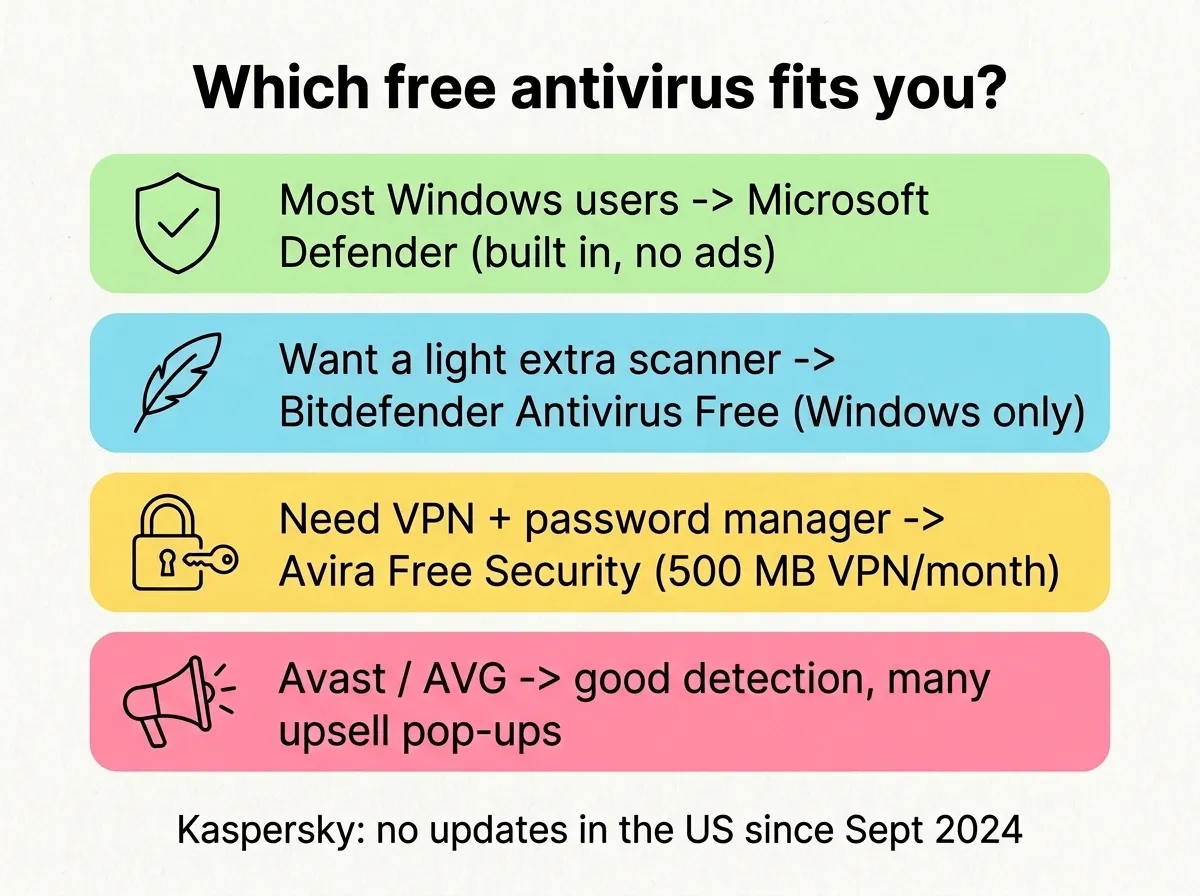
- For most users: stick with Microsoft Defender. No account, no ads, and its protection updates with the system.
- If you’re looking for a lighter third-party engine with few nags: Bitdefender’s free version.
- If you want a VPN allowance and a password manager: Avira Free Security, with its upsell banners.
- Avast or AVG: good lab results and more free features, but read the privacy section before you install.
- Kaspersky: not an option in the US anymore.
The best free antivirus options side by side
| Microsoft Defender | Bitdefender Antivirus Free | Avast Free Antivirus | AVG AntiVirus Free | Avira Free Security | |
|---|---|---|---|---|---|
| Price | Free, built in | Free | Free | Free | Free |
| Account needed | No | Yes (Bitdefender Central) | No | No | Optional |
| Platforms | Windows 10/11 | Windows PC only | Windows, Mac, Android | Windows, Mac, Android | Windows, Mac, Android, iOS |
| Real-time protection | Yes | Yes | Yes | Yes | Yes |
| Extra features in the free version | Firewall, SmartScreen, ransomware folder protection | Basic VPN, 200 MB/day | Wi-Fi scanner, browser tools | Same engine as Avast | VPN 500 MB/month, password manager, cleanup tools |
| Upsell pressure | None | Low | High | High | Medium to high |
| Owner | Microsoft | Bitdefender | Gen Digital | Gen Digital | Gen Digital |
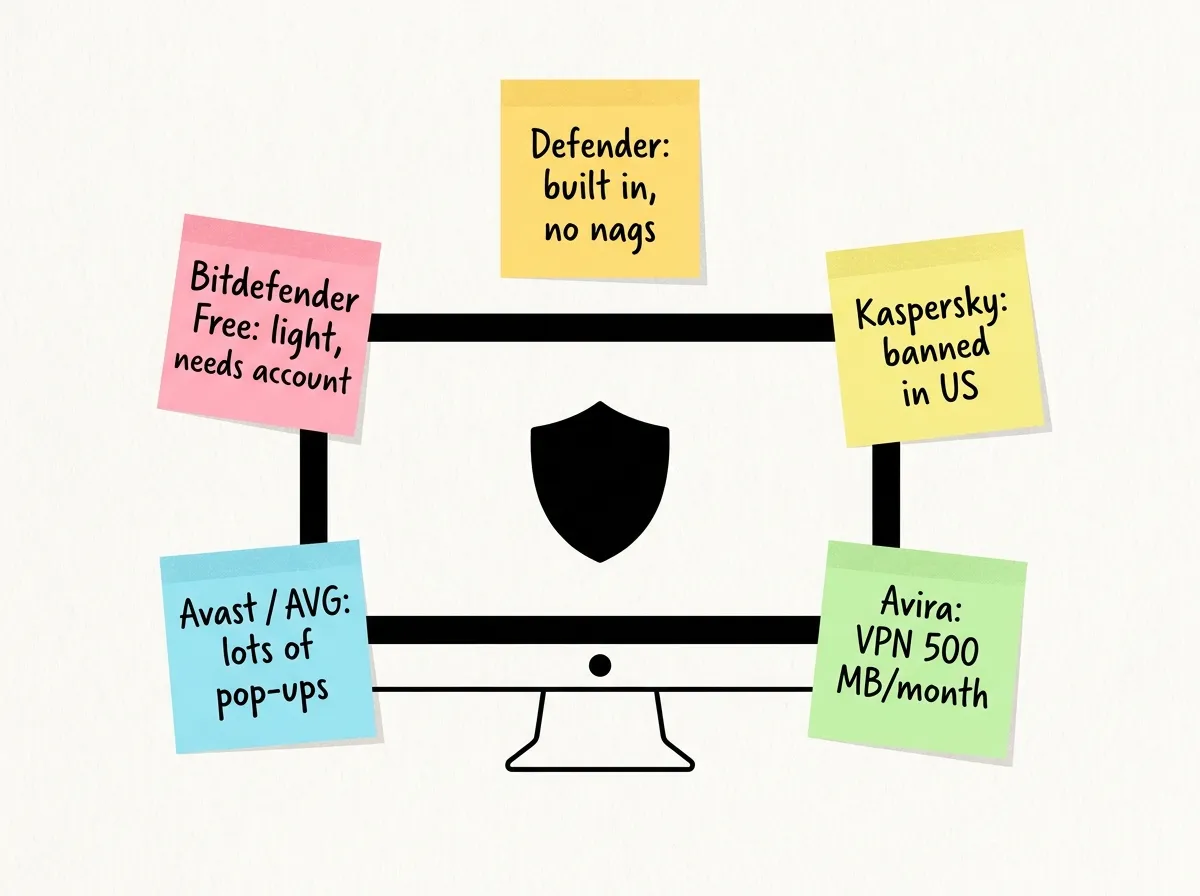
Look at the last row. Avast, AVG and Avira belong to the same parent company, Gen Digital, which also owns Norton. Three of the five “different” providers come from one shop, and all three are built to move you toward a paid plan.
Microsoft Defender: the free protection you already have
It gives you real-time malware protection, cloud-delivered detection, the Windows Firewall and SmartScreen checks for downloads and sites. Its malware definitions arrive with the system updates, so a broken update can leave your device with stale protection and no warning. If updates keep failing, our guide on how to fix Windows update errors gets them moving again.
Gripes:
- The settings are spread across the Windows Security app, and Controlled folder access (ransomware protection for your folders) is off by default.
- In AV-Comparatives’ 2025 Consumer Summary Report, Microsoft Defender Antivirus was tested all year but didn’t take a year-end award in any category. It protects you well enough, it just didn’t lead the field that year.
- It only covers the Windows PC it runs on. Nothing for your Mac or Android phone.
When you install a third-party antivirus, Windows switches Microsoft’s real-time scanning off on its own, so two engines never fight over your device and its files.
Bitdefender Antivirus Free: quiet and light
Bitdefender replaced its old Free Edition with a rebuilt Antivirus Free in 2022. It’s for Windows only, requires a Bitdefender Central account, and includes real-time protection against viruses and ransomware, on-demand scans and Advanced Threat Defense, which watches how apps behave. You also get a basic VPN with 200 MB of traffic per device per day.
Gripes:
- You need an account just to install a scanner.
- The VPN cap is tiny and is clearly there to sell Premium VPN.
- Labs usually test the paid products. AV-Comparatives used Bitdefender Total Security, so treat its awards as a hint about the engine rather than a detection rate for the download you get.
If you want something other than the built-in scanner, this is the free antivirus that bothers you least.
Avast and AVG: strong detection, a privacy history
Avast Free Antivirus (Avast One Essential is the newer free tier) and AVG AntiVirus Free share one engine and many features. In AV-Comparatives’ 2025 summary, both free products were Top-Rated and won Gold for performance, so they slowed the test systems less than most rivals.
The catch is data. In February 2024 the FTC ordered Avast to pay $16.5 million and banned it from selling browsing data for advertising. According to the FTC, Avast’s subsidiary Jumpshot sold browsing data collected through its antivirus software and browser extensions to more than 100 third parties between 2014 and 2020.
Gripes:
- Frequent pop-ups pushing the paid tier, a VPN trial or a “cleanup” tool.
- The installer offers extras like a browser. Read every screen and untick what you don’t want.
- Some protection features look available, but turn out to be paid.
If that history makes you uneasy, pick something else.
Avira Free Security: the most stuff at no cost
Avira packs the most features into its free tier: antivirus, a VPN capped at 500 MB per month, a password manager, a firewall manager and speed or cleanup tools. In AV-Comparatives’ 2025 summary, Avira Free Antivirus took a Bronze award in the Real-World Protection test, which measures how well a product can block threats from live websites.
Gripes:
- The extras are mostly trials in disguise. 500 MB of VPN is gone in a single video call.
- The dashboard leans hard on upgrade prompts.
Kaspersky: not for US users
The US Commerce Department banned Kaspersky software in 2024. New sales stopped in July 2024, and updates, including virus definitions, stopped on September 29, 2024. An antivirus with no updates misses new threats. If it’s still on your computer, uninstall it and let the built-in protection take over.
Which is the best free antivirus software for you?
- Open Windows Security and check that Virus & threat protection shows no warnings. If everything is green, your device has protection and you can stop here.
- Turn on Controlled folder access under Ransomware protection if you keep important files on that PC.
- Only install a third-party antivirus if you have a specific reason, such as a lighter engine or a VPN allowance.
- If you switch, uninstall the old antivirus first, restart, then install the new one and decline every bundled extra during setup. Our guide to removing McAfee completely covers the leftovers.
By user type:
- Casual home user on Windows 11: Defender. Nothing to install, nothing to nag you.
- Older, slower PC: Defender or the Bitdefender free version, since both are light on the system.
- Family PC shared with kids: a paid suite with parental controls. No free tier covers that well.
- Mac and Android in the same home: Avira or Avast, since Bitdefender’s free version is Windows only.
- Privacy-first user: Defender or Bitdefender, for the best mix of protection and privacy. Skip anything with an ad-funded data history.
Free vs. paid antivirus software for Windows
A paid antivirus program mainly adds things around the scanner: multi-device licenses, parental controls, identity monitoring and an unlimited VPN. The core malware protection in the free version is usually the same engine. Before you pay, ask whether you can name an extra feature you would use. Most providers discount the first year, and the renewal price after the first year can be much higher.
FAQ
Is Microsoft Defender good enough in 2026?
For most home users, yes, as long as updates install and you don’t click past SmartScreen warnings. You can count on solid protection from viruses and malware with no ads, upsells or account.
Is free antivirus safe to use?
The big-name free providers are safe and detect malware well. The risk sits in bundled software, upsell pop-ups and what happens to your data. Download only from the vendor’s own site.
Do I need antivirus if I have Windows Defender?
No. Defender is a full antivirus. A second real-time scanner on your device mostly adds conflicts and slowdowns.
Which free antivirus has the fewest pop-ups?
Defender, followed by Bitdefender’s free antivirus. Avast, AVG and Avira all show regular upgrade prompts.
Did this fix it?
0 readers say this fixed it
Good. One gripe fewer on the wall.
Sorry. Tell us what you tried, or see if others have the same problem.