- Computer Gripes
- Error code lookup
- 0x80070020
Error 0x80070020: Windows Update File in Use (Fix)
Update error 0x80070020 means another process has locked a file that Windows needs. See what causes this error and how to fix it, the easiest steps first.
Error code 0x80070020 means Windows tried to open or replace a file while another process was using it. The Win32 name is ERROR_SHARING_VIOLATION, and the message reads “The process cannot access the file because it is being used by another process.” Your computer is usually fine. Another program got there first, and once you find and close it, the install should go through.
Where you see this error
This error occurs in more than one place. It always means a locked file, but which program holds the lock depends on where you see it.
| Where it shows up | What usually holds the lock | Try first |
|---|---|---|
| Windows Update (“failed to install”) | Antivirus scanning or a background service | Steps 1 to 5 |
| Windows Server cumulative updates | A third-party service or agent | Step 4 (clean boot) |
| Windows Backup / File History | An app that still has data open | Close the app, or exclude that folder |
| Group Policy tools writing registry.pol | Another process writing the same policy | Wait a moment, then retry |
Microsoft’s list of Windows system error codes confirms the meaning: code 32 (0x20) is ERROR_SHARING_VIOLATION, and the 0x8007 prefix marks it as a Windows error.
Likely causes
- Antivirus software scans each new download as it lands, and the installer can’t replace anything while the scan holds it open.
- The Windows Update service or the Background Intelligent Transfer Service (BITS) still holds data from an earlier attempt that never finished.
- Backup agents, sync tools and “optimizer” software that start with Windows keep handles open on folders the installer needs.
- Half-downloaded content in the SoftwareDistribution folder, or damaged system components, block a clean retry.
How to fix update error 0x80070020
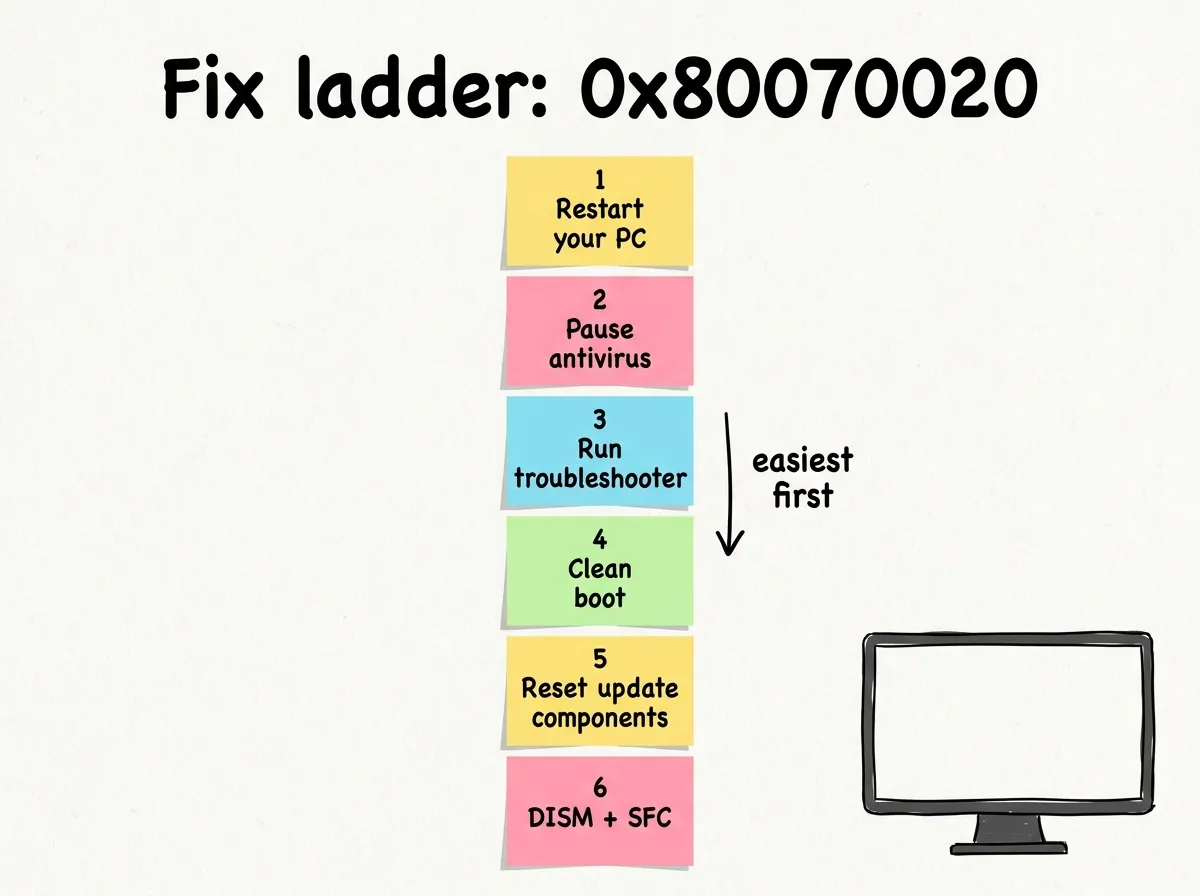
- Restart your computer. This closes most open handles. Then go to Settings > Windows Update and click Check for updates.
- Disable your antivirus for a moment. Turn off its real-time protection, run Windows Update, then switch protection back on. If these issues keep coming back, remove the program with its vendor’s removal tool and let Microsoft Defender take over.
- Use the troubleshooter. In current Windows 11 builds, Settings > System > Troubleshoot > Other troubleshooters opens the Get Help app for Windows Update. In Windows 10, it’s under Update & Security > Troubleshoot > Additional troubleshooters.
- Do a clean boot. Press Windows + R, type
msconfigand open the Services tab. Check Hide all Microsoft services, click Disable all, then turn off startup apps in Task Manager. Restart, install, and undo these changes afterwards (pick Normal startup on the General tab). - Reset the update components. Open Command Prompt as administrator and run
net stop wuauserv,net stop bitsandnet stop cryptsvc. Rename the cache withren C:\Windows\SoftwareDistribution SoftwareDistribution.oldandren C:\Windows\System32\catroot2 catroot2.old, then start them again withnet start. - Repair Windows. In the same command prompt, run
DISM /Online /Cleanup-Image /RestoreHealth, thensfc /scannow. Restart and check again.
Backup failing instead? Open Resource Monitor (resmon), go to the CPU tab and type the file name under Associated Handles to see which program has it. If you still have problems after step 6, our general guide to Windows Update errors goes further. A switch to error 0x80070005 means you’re now facing a permissions issue.
What not to do
- Don’t delete anything in C:\Windows\WinSxS by hand. That might break servicing for good.
- Skip “update fixer” and “registry cleaner” downloads. They can’t see which program holds the lock.
- Don’t leave your antivirus off. Turn it back on, or pick one of the free antivirus tools that get along with Windows Update.
FAQ
Can antivirus cause error 0x80070020?
Yes. Real-time scanning that locks update data is a known trigger, which is why step 2 comes early in this article.
Is 0x80070020 a virus?
No. It’s a standard Windows code for a sharing violation. Your data isn’t damaged, and you can install again once the lock is gone.
What if Windows Update still fails?
Note the KB number shown next to the failed entry. If it’s a monthly cumulative update, next month’s release includes its fixes, so waiting for that one might be the simpler route. More codes are in the error code library.
Did this fix it?
0 readers say this fixed it
Good. One gripe fewer on the wall.
Sorry. Tell us what you tried, or see if others have the same problem.