- Computer Gripes
- Lotus Notes Today: HCL Notes Gripes,…
Lotus Notes Today: HCL Notes Gripes, Fixes and Migration
Lotus Notes still runs in many businesses as HCL Notes. Here are the gripes users hit today, the fixes that work, and what a move to Outlook involves.
Fixes on this wall
Lotus Notes never really went away. It changed owners and names, and it still opens on desks every morning in banks, insurers, factories and government offices. If you landed here because your employer still runs Lotus Notes and something broke, the fixes are below. If your business is weighing whether to leave the Lotus platform for good, the second half of this page covers migration and the options for staying.
Is Lotus Notes still used?
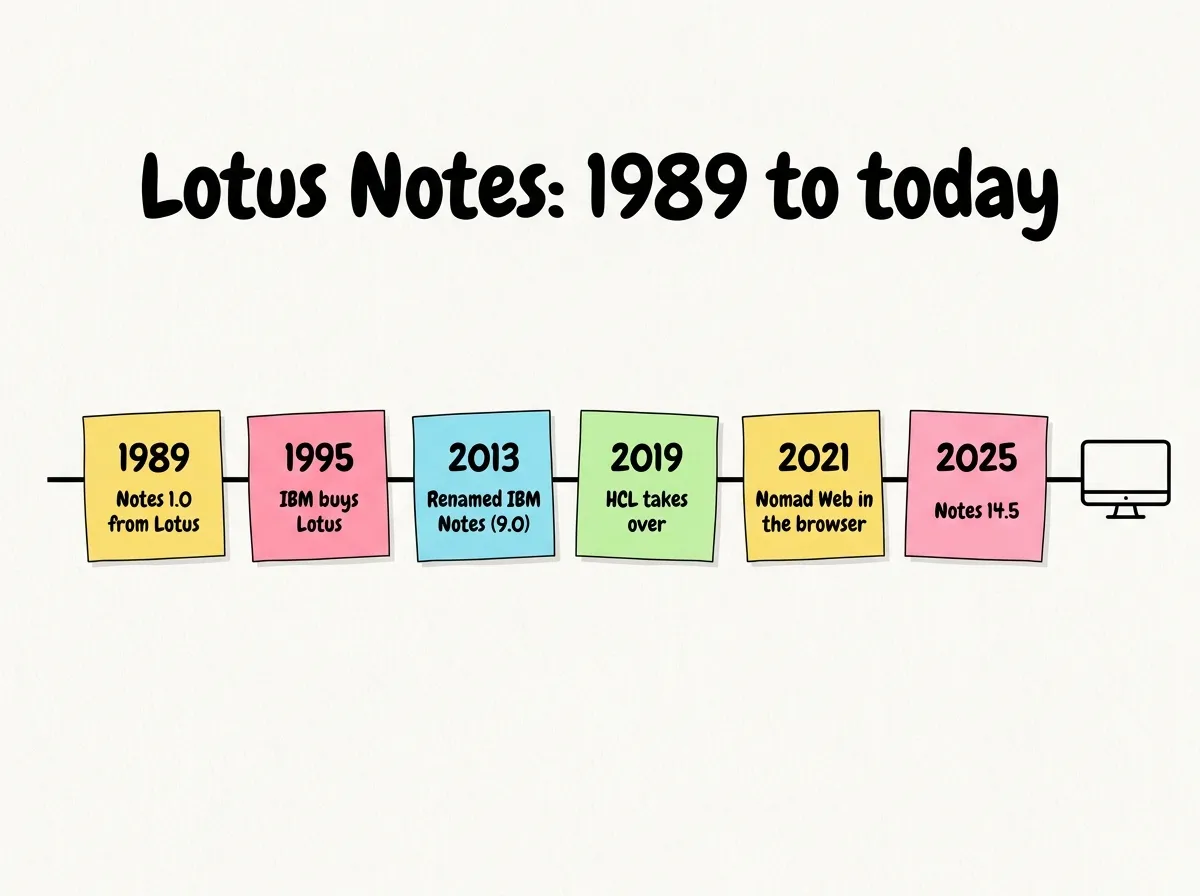
Yes. The product is now called HCL Notes, and its server is HCL Domino. IBM bought Lotus Development in 1995, largely for this software, and renamed IBM Lotus Notes to IBM Notes with version 9.0 in 2013. In December 2018 IBM agreed to sell Notes and Domino, along with several other software products, to HCL. That deal closed in July 2019, and HCL has shipped every release since.
Development did not stop with the sale:
| Version | Year | What changed |
|---|---|---|
| Notes 9.0 | 2013 | First release under the IBM Notes name |
| Notes 11 | 2019 | First release branded HCL |
| Notes 12 | 2021 | Nomad Web brings the desktop program into the browser |
| Notes 14 | 2023 | Current major release line |
| Notes 14.5 / 14.5.1 | 2025 | Java 21, Domino IQ AI features, OIDC sign-in |
Who still uses it? Mostly organizations that built their own Lotus Notes applications over twenty or thirty years: approval workflows, case databases, document libraries, inventory tools. Domino was a rapid application development environment long before that phrase became a sales pitch, and those home-grown tools are the reason many companies keep a Notes server running. Email alone could move to another system in a weekend.
HCL also keeps old versions alive for paying customers. Per The Register, extended support for Notes and Domino 9.x and 10.x now runs until June 30, 2030, because many customers cannot or will not upgrade.
What goes wrong with Lotus Notes today?
Most help desk tickets for Lotus Notes fall into a handful of groups. These are the fixes that show up again and again in HCL’s own documentation and support forums.
The program hangs, freezes or will not start
This is the oldest Lotus Notes complaint. The window is gone, but Windows still has its processes running in memory, so the next start fails or sits on a blank screen.
- Close the program, open a command prompt in the Notes program folder and run
nsd -kill. Run it a second time if some processes survive the first pass. - In the data directory, rename
cache.ndk(keepcache.ntf). The cache gets rebuilt on the next start. - If it still hangs, rename
bookmark.nsfand the desktop file (desktop8.ndk) one at a time, starting again after each change, so you know which one was damaged. - Pause antivirus or backup software for one test start. Real-time scanning of the data directory is a frequent cause of a slow or frozen session.
Forgotten ID password
The ID file holds the user’s keys, and Lotus Notes asks for its password at every start. If the company uses an ID vault, an administrator with reset rights can set a new password in the Domino Administrator under Tools > ID Vaults > Reset Password. Stay online for the next sign-in so the change syncs with the vault. Without a vault, an unknown password usually means a new ID and lost access to encrypted messages.
“Server not responding” or the mail database will not open
- Check that other internal sites load. If the VPN dropped, Lotus Notes is the first thing to complain.
- Ask whether the Domino server was renamed or moved. An old connection document can still point at the previous address.
- Look for an old entry in the Windows hosts file that pins the server name to an outdated IP address. Our guide to the Windows 11 hosts file shows where it lives and how to edit it safely.
- Switch the location document to the office or remote location actually in use.
Slow search and a broken full-text index
Search in large mailboxes depends on a full-text index. When the index is damaged, search returns nothing or takes minutes. Open the database properties, go to the full-text index tab and rebuild it. On big mailboxes this takes a while, so start it at the end of the day.
What are the honest downsides of HCL Notes?
The platform has real strengths. Replication still works well offline, the security model (ID files, access control lists, field-level encryption) is solid, and a skilled developer can build a working database application quickly. The gripes are real too:
- It looks and works unlike other email programs. New hires who grew up with Outlook or Gmail need training for rules, signatures or shared calendars.
- HTML rendering has improved, but newsletters and marketing messages can still look different than they do elsewhere.
- Finding people who know Domino is hard. Developers and admins with that background are a shrinking group, and many are close to retirement.
- The custom applications lock you in. Each database stores data, documents and logic in the same NSF file, and nothing converts that logic to SharePoint or Power Apps automatically.
- Integration takes extra effort. Microsoft 365, Teams and most SaaS tools talk to Exchange natively. Domino needs connectors or its REST API to share information.
How does a migration from Lotus Notes to Outlook work?

Most companies that leave Lotus Notes move to Microsoft 365, with Exchange Online for email and calendar and Outlook on the desktop. The process has two very different halves:
- Mailboxes, calendar and contacts: commercial migration tools copy NSF mailboxes to Exchange Online, including folders, meetings and contacts. Large organizations do this in waves, with routing between Domino and Exchange so migrated and not-yet-migrated users can still reach each other.
- Applications: every database needs a decision. Retire it, archive it read-only, rebuild it on another platform, or keep it on Domino. This part takes months, and it is where projects run over budget.
Before you start, take an inventory of all databases and how often each one is used. Many are dead and can simply be archived. Keep a viewer or a licensed install available for old NSF archives, because Outlook cannot open NSF files on its own.
After the switch, the new gripes are Outlook gripes. If messages go missing in the new setup, our checklist for when Outlook is not receiving emails covers the usual suspects, from the Other tab to rules and sync.
What are the options for a business that stays?
Leaving is not the only choice. HCL now provides more than one way to use Domino without the classic desktop program:
| Option | What it is | Good fit for |
|---|---|---|
| HCL Notes 14.5 | The full Windows or Mac application | Power users and application developers |
| HCL Nomad Web | The same program running in a web browser | Staff who need access to Domino apps without an install |
| HCL Verse | Web and mobile email for Domino | People who mainly need email and calendar |
| Hybrid setup | Email in Microsoft 365, apps stay on Domino | Companies with many custom databases |
Staying makes sense if the applications work, the licenses are paid and the people who maintain them are still around. HCL’s documentation lists newer features such as OIDC sign-in support for the Notes 14.5.1 client, which lets the user log in through the same identity system as other company apps.
Back when Lotus Notes gripes were everywhere
In the early 2000s, the Notes 5 and Notes 6 years, the program was a constant source of complaints. It often froze, and after you killed it in Task Manager it could refuse to start again until you rebooted. Some commands only worked when the cursor sat in the right field of a message. Mail rules stopped running for no clear reason. Newsletter publishers said HTML that worked in other email programs came out garbled. Meanwhile Microsoft Exchange kept taking market share.
Many of those specific bugs are gone. The underlying gripe is the same twenty years later: Lotus Notes does things its own way, and users have to learn that way. Other email problems from that era, from login loops to mail that never arrives, live on our AOL problems page.