- Computer Gripes
- Error code lookup
- 0x800705b4
Error 0x800705b4: Windows Update Timed Out (Fix)
Error 0x800705b4 means Windows Update or Windows Defender timed out. See what causes this error when you try to update, and the fix steps, easiest first.
Error code 0x800705b4 means a process took too long and Windows gave up on it. The last four digits, 05B4, are the system code ERROR_TIMEOUT, which Microsoft’s list of system errors describes as “This operation returned because the timeout period expired.” The number doesn’t say what timed out. That depends on where you see it, and there are a few common places.
Where the 0x800705b4 error shows up
- Windows Update: the most common case. A download or install stops with “There were problems installing some updates.”
- Windows Defender: a definition update fails, or the antivirus won’t turn on when you try to start it. Often a second antivirus program is installed.
- Work networks: in a WSUS, SCCM or Intune deployment, the client can log it when the server doesn’t answer in time. It also turns up during activation on Azure virtual machines, where the cause is network or DNS trouble.
If your computer is managed by work or school, ask your IT team. The steps below won’t change a server setting.
What causes this error
| Likely cause | What you may notice |
|---|---|
| Third-party antivirus or firewall | Updates fail only while that software runs |
| Stuck update service or cache | The same update fails the same way every time |
| Slow, filtered or VPN connection | Downloads stall at one percentage |
| Damaged system files | Other errors too, DISM or SFC finds problems |
| Defender turned off by another antivirus | The built-in antivirus can’t update or start |
How to fix Windows Update error 0x800705b4
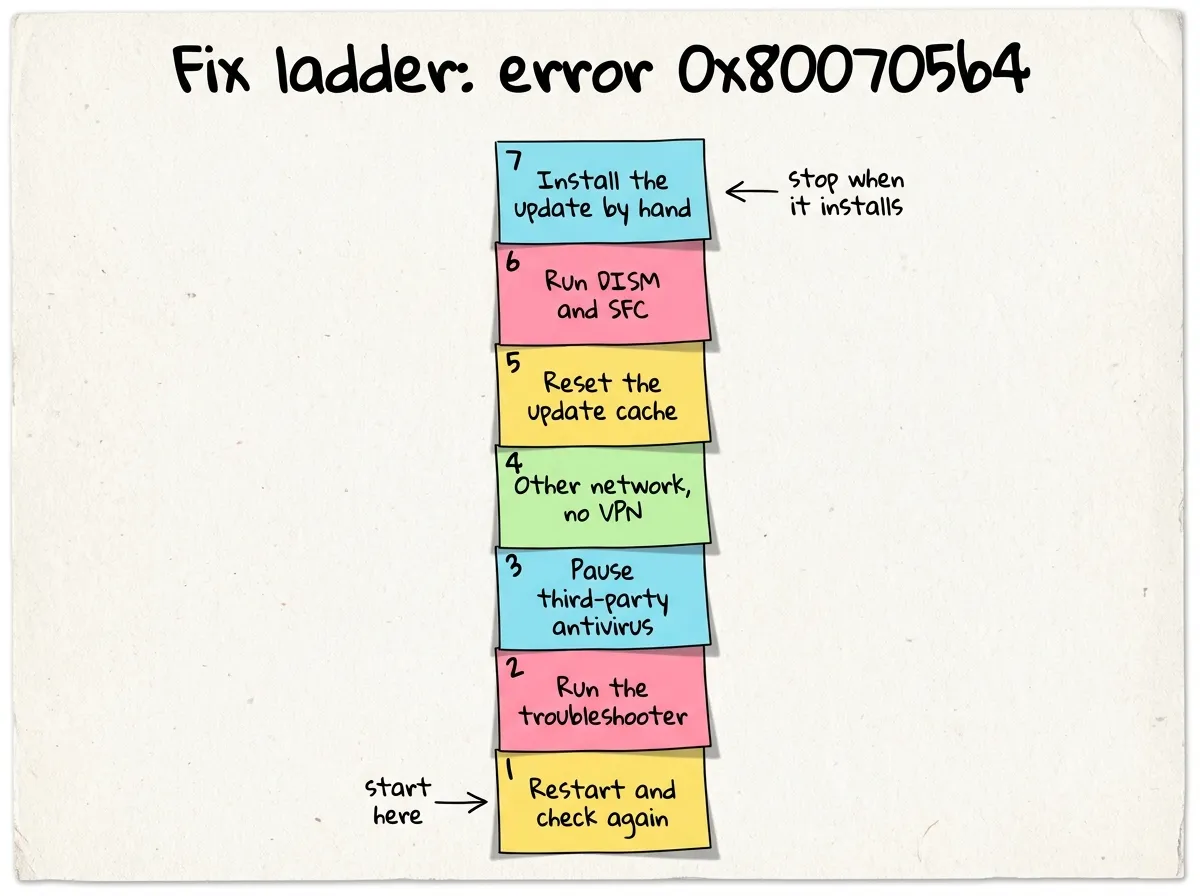
Check for updates again after each step and stop when the install goes through. The menu paths follow the official documentation for Windows 10 and Windows 11 (2026).
- Restart the computer (Restart, not Shut down), then open Settings and click Check for updates. A one-off timeout can clear on the second try.
- Run the troubleshooter. On Windows 11, click Settings > System > Troubleshoot > Other troubleshooters, then Run next to Windows Update. On Windows 10, it’s under Update & Security > Troubleshoot > Additional troubleshooters.
- Pause your third-party antivirus for the install and turn it back on right after. For a Defender error, open Windows Security > Virus & threat protection > Protection updates and click Check for updates.
- Turn off any VPN or proxy and try a different network. Make sure the Windows Defender Firewall service is running, too; admins on Windows Server 2016 have linked a stopped firewall service to this error. In Advanced options, you can also switch off Receive updates for other Microsoft products and try again.
- Reset the update cache. Open the Command Prompt as administrator, stop the wuauserv, bits and cryptsvc services with
net stop, rename the folder C:\Windows\SoftwareDistribution to SoftwareDistribution.old, start the services again withnet startand restart. - Repair the system files. In the same window, run the following command:
DISM /Online /Cleanup-Image /RestoreHealth, and thensfc /scannow. Restart when both are done. - Install the update by hand. Note the KB number, find it in the Microsoft Update Catalog and run the matching file. For the antivirus definitions, you can use the manual download package (mpam-feX64.exe on 64-bit systems) from the Microsoft site.
Our guide to Windows Update errors has more information on each step.
What not to do
- Don’t leave your antivirus or firewall off once the update is in.
- Don’t download “error fixer” tools. None of them can make a slow server answer faster.
- Don’t delete SoftwareDistribution while the services are running. Stop them and rename it, so you can go back.
- Don’t run two antivirus programs at once. Our free antivirus comparison helps you pick one.
FAQ
Is 0x800705b4 a network problem?
In some cases. On a home PC it is more often security software or a stuck cache. With WSUS, SCCM or Azure, it is usually the connection to the server.
Does the error 0x800705b4 mean I have a virus?
No, it only reports a timeout. Malware can break updates, though, so run a full scan when you get Defender working again.
What if none of the steps work?
Write down the KB number and check our error library for any second number Windows shows. An in-place repair install keeps your files and apps and comes before a full reset.
Did this fix it?
0 readers say this fixed it
Good. One gripe fewer on the wall.
Sorry. Tell us what you tried, or see if others have the same problem.