- Computer Gripes
- Error code lookup
- 0x800f0831
Error 0x800f0831: Windows Update Fix, Step by Step
Error 0x800f0831 means a Windows update needs part of an older update that is missing. Here is how to fix it, from a quick restart to DISM and a repair.
Error 0x800f0831 means Windows tried to install an update, usually a cumulative update, and stopped because this update needs the manifest of an older update package that is missing from your PC. The manifest tells Windows what an update contains. Without it, the system treats its component store as damaged and reports CBS_E_STORE_CORRUPTION. The fix is to repair that store or install the missing package.
Where you see 0x800f0831
- Windows Update in Settings, as an install error next to a cumulative update that keeps failing.
- WindowsUpdate.log, as “FATAL: CBS called Error with 0x800F0831”.
- CBS.log (in C:\Windows\Logs\CBS), as “Store corruption, manifest missing for package”.
- Work PCs and servers that get updates through WSUS or Configuration Manager. Microsoft says the error is more likely when the PC has no access to Microsoft Update.
Likely causes
| Cause | What it looks like | Step |
|---|---|---|
| Broken Windows Update components or a stuck download | Same update fails again and again | 1, 2 |
| Damaged component store or system files | DISM reports corruption | 3 |
| An earlier update package is missing | CBS.log names a missing package | 4 |
| No access to Microsoft Update (WSUS, offline PC) | Error on managed PCs and servers | 4 |
| A deeper problem with the installation | Every repair fails | 5 |
How to fix error 0x800f0831
You need an administrator account. Check after each step whether the update is installed, and stop once it is.
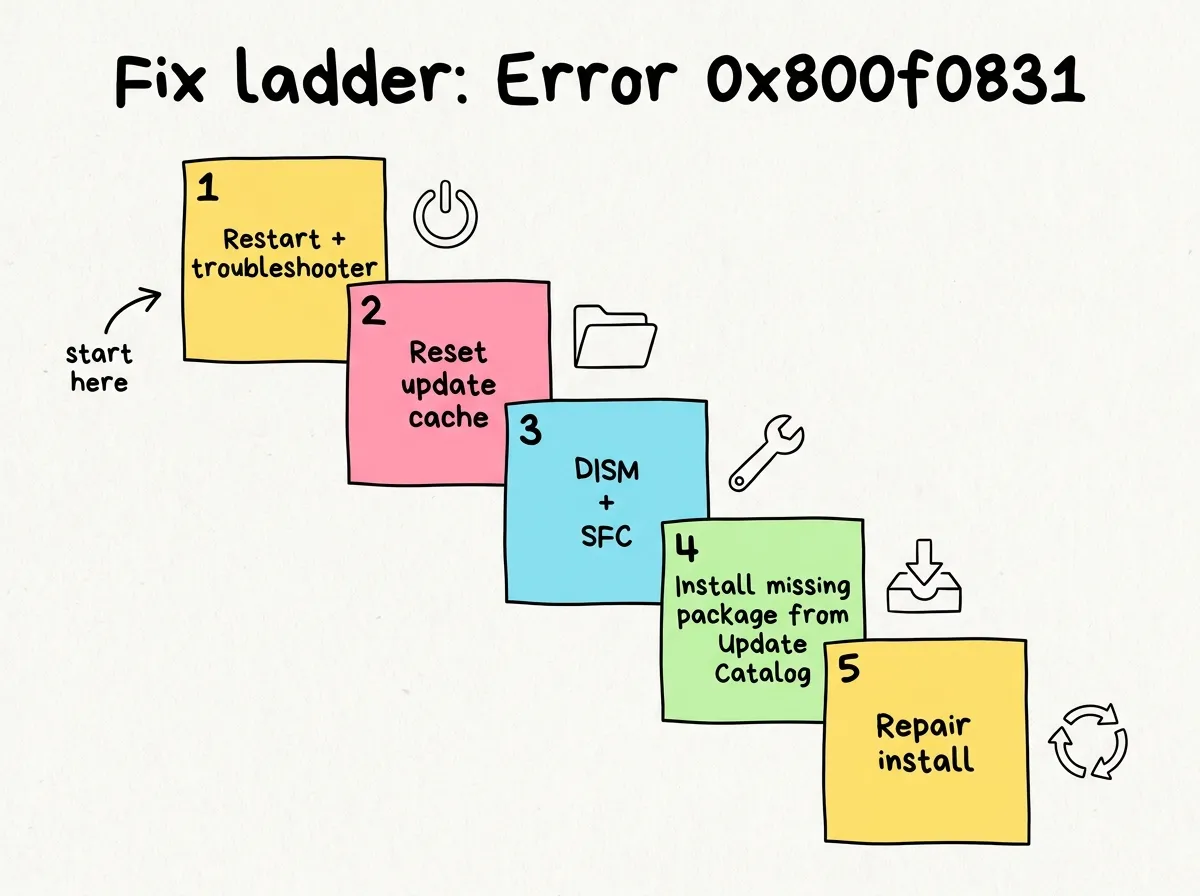
- Restart and run the troubleshooter. Turn off any VPN or proxy and restart your PC. On Windows 11, open Settings > System > Troubleshoot > Other troubleshooters and select Run next to Windows Update. In current Windows 11 builds this opens the Get Help app instead of the old tool. On Windows 10, look under Update & Security > Troubleshoot. Then try the update again.
- Reset the Windows Update components. Open the Command Prompt as administrator (search for cmd, right-click it, select Run as administrator). Type each of the following commands and press Enter after each one:
net stop wuauserv,net stop bits,ren C:\Windows\SoftwareDistribution SoftwareDistribution.old,net start bits,net start wuauserv. Windows creates a fresh folder and downloads the update again. - Repair the component store and system files. In the same window, type the following command and press Enter:
DISM /Online /Cleanup-Image /ScanHealth. Then runDISM /Online /Cleanup-Image /CheckHealthandDISM /Online /Cleanup-Image /RestoreHealth. After that, runsfc /scannowand restart the device. RestoreHealth uses Windows Update as its source, so stay online. - Install the missing package by hand. Open C:\Windows\Logs\CBS\CBS.log and search for “manifest missing for package”. Copy the package name that follows. Search for it on the Microsoft Update Catalog, download the version for your Windows and architecture, and then double-click it. Once it is installed, run Windows Update again, or download the failed update from the Catalog and install the update the same way.
- Do a repair install if nothing else works. On Windows 11, open Settings > System > Recovery and select Reinstall now next to “Fix problems using Windows Update”. You can also mount an ISO of the same version and run setup.exe, keeping your files and apps. Back up first.
The cause and both official repair methods are described in Microsoft’s article on error 0x800F0831 when installing an update. For other codes, see our guide to fixing Windows Update errors.
What not to do
- Don’t install a package for a different version or architecture. An x64 PC needs the x64 file, and a Windows 10 package won’t fix Windows 11.
- Don’t run “registry cleaners” or update fix tools from random sites. They can’t restore a missing manifest.
- Don’t switch off Windows Update for good. The next cumulative update needs the same missing package.
FAQ
Is 0x800f0831 the same as 0x800f081f?
No. Error 0x800f081f means Windows can’t find source files for a feature or repair. 0x800f0831 points to a missing manifest from an earlier update. Both come from the servicing stack, and DISM helps with both.
Will DISM fix 0x800f0831?
Often, yes. If RestoreHealth finishes but the update still fails, use step 4, since DISM can’t always rebuild a package it can’t download. If DISM itself reports a damaged store, see error 0x80073712.
Can I just skip the update?
Only for a short time. Cumulative updates carry security fixes, and the issue occurs again with the next one until the store is repaired. More codes are in our error code library.
Did this fix it?
0 readers say this fixed it
Good. One gripe fewer on the wall.
Sorry. Tell us what you tried, or see if others have the same problem.